Survive the Endless Horde of Azeroth
A survivors-style action roguelike for World of Warcraft 1.12.1.
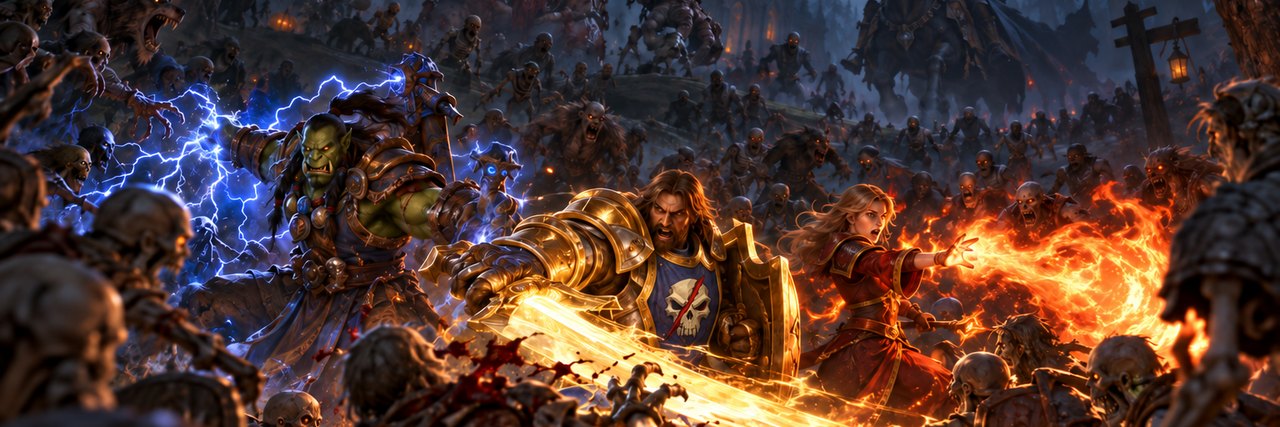
Spells fire automatically, choices await at every level up, and epic bosses challenge your positioning.
Played completely alone on a high-performance local server running right on your PC.
Official Gameplay Showcase: Survive, level up, synergize spells, and conquer Azeroth's most notorious bosses.
Game Features
Experience Classic World of Warcraft reimagined as a thrilling, fast-paced single-player survivors roguelike.
Endless Hordes & Iconic Zones
Battle through classic zones across Azeroth on Normal, Heroic, and Mythic difficulty. Fight through dense swarms of enemies, mini-bosses, and dynamic map events.
Mythic Floors & Endless Mode
Climb 20 brutal Mythic floors that grow harder with affixes and relentless packs. Surpass floor 20 to test your ultimate limits in Endless mode.
Auto-Firing Spells & Evolutions
Your spells fire on their own while you master positioning and dodges. Choose powerful upgrades upon leveling up, unlock spell evolutions, and craft game-breaking builds.
Telegraphed Boss Outplays
Bosses cast real mechanics with clear ground telegraphs. Dodge cones, lane eruptions, and stampedes. Use your Dash with invulnerability frames to stay alive.
Loot, Tier Sets & Extraction Vault
Collect rare, epic, and legendary gear, Darkmoon Cards, and Glyphs. Safeguard your most prized items inside the Extraction Vault to keep them upon death.
Native Controller & Steam Deck
Full plug-and-play support for Xbox and PlayStation controllers with dynamic button prompts. Certified playable on Linux and Steam Deck.
Playable Classes
Nine distinct classes with custom skill trees, specializations, and evolution paths.
Warrior
Master of close-quarters combat. Cleave through swarms with Whirlwind, build Rage, and crush elites with devastating Mortal Strikes.
Mage
Wield elemental arcane power. Freeze entire hordes with Blizzard and Frost Nova, or unleash apocalyptic Pyroblasts from afar.
Rogue
Agile and lethal. Chain Blade Flurry with Shadow Dance to slice through packs while evading incoming lethal strikes.
Hunter
Ranged marksman accompanied by loyal beasts. Trap enemies, unleash Volley, and let your pets tank the charging swarm.
Priest
Balance between Holy restoration and Shadow devastation. Blast minds, melt foes with Shadow Word: Pain, and shield against death.
Shaman
Harness storms and totems. Chain Lightning electrocutes groups of monsters while totems empower and protect your ground.
Warlock
Command demonic legions and inflict agonizing curses. Summon Infernals, unleash Hellfire, and drain the life force of your enemies.
Paladin
Righteous defender coated in plate armor. Consecrate the earth beneath you, smite evil with Holy Light, and defy defeat with Divine Shield.
Druid
Shapeshifter attuned with nature. Tear through enemies in Cat Form, absorb blows in Bear Form, or rain Starfall as a Moonkin.
Getting Started
Set up Hordes of Azeroth in just a few straightforward steps.
Prepare Game Client
You need your own copy of World of Warcraft 1.12.1 (build 5875, enUS) in a dedicated folder. Hordes of Azeroth does not distribute original Blizzard files.
Download Launcher
Download HoALauncher below and drop it into your WoW folder right next to WoW.exe (unpack on Linux / Steam Deck).
Click Install
Launch HoALauncher and press Install. It automatically builds navigation meshes and spell effects from your client files.
Press Play
Hit Play! The launcher automatically manages your local server in the background and shuts it down when you finish playing.
Download Hordes of Azeroth
Latest Release: v0.5.2 • Free, Open Source • Self-Updating
Note for Windows users: If "Windows protected your PC" pops up, click More info → Run anyway. The entire launcher source code is public and inspectable on GitHub.
Frequently Asked Questions
Everything you need to know about the game, local server, and safety.
No! Once the initial launcher install is complete, Hordes of Azeroth runs 100% locally on your machine. The local server communicates only with your local game client via loopback (127.0.0.1). An internet connection is only needed to check for launcher updates.
You need your own copy of World of Warcraft 1.12.1 (build 5875, English enUS). Keep a dedicated folder for Hordes of Azeroth because the launcher adds custom configuration files, navigation meshes, and spell effects.
Only what you explicitly consent to! On first launch, the launcher asks once whether you'd like to share anonymous completed run statistics (class, spells chosen, gear, damage, floor reached, and OS) solely to help balance classes. You can turn this off at any time in the launcher settings. No personal data is ever collected. See our Privacy Policy.
Yes! Plug in an Xbox or PlayStation controller and play immediately. Button prompts automatically switch to match your active input device. Full key rebinding is available under Key Bindings in the in-game settings.
Yes. Addons go into benilla-config/AddOns (accessible via the ⋯ menu in the launcher → "Open AddOns folder"). HD model packs can be placed in the game's Data folder as patch-4.MPQ through patch-Y.MPQ.
Simply close the launcher (including from your system tray) and delete your dedicated game folder. Hordes of Azeroth keeps nothing anywhere else on your system except a temporary font cache in %LOCALAPPDATA%\HordesOfAzeroth.